
What changed
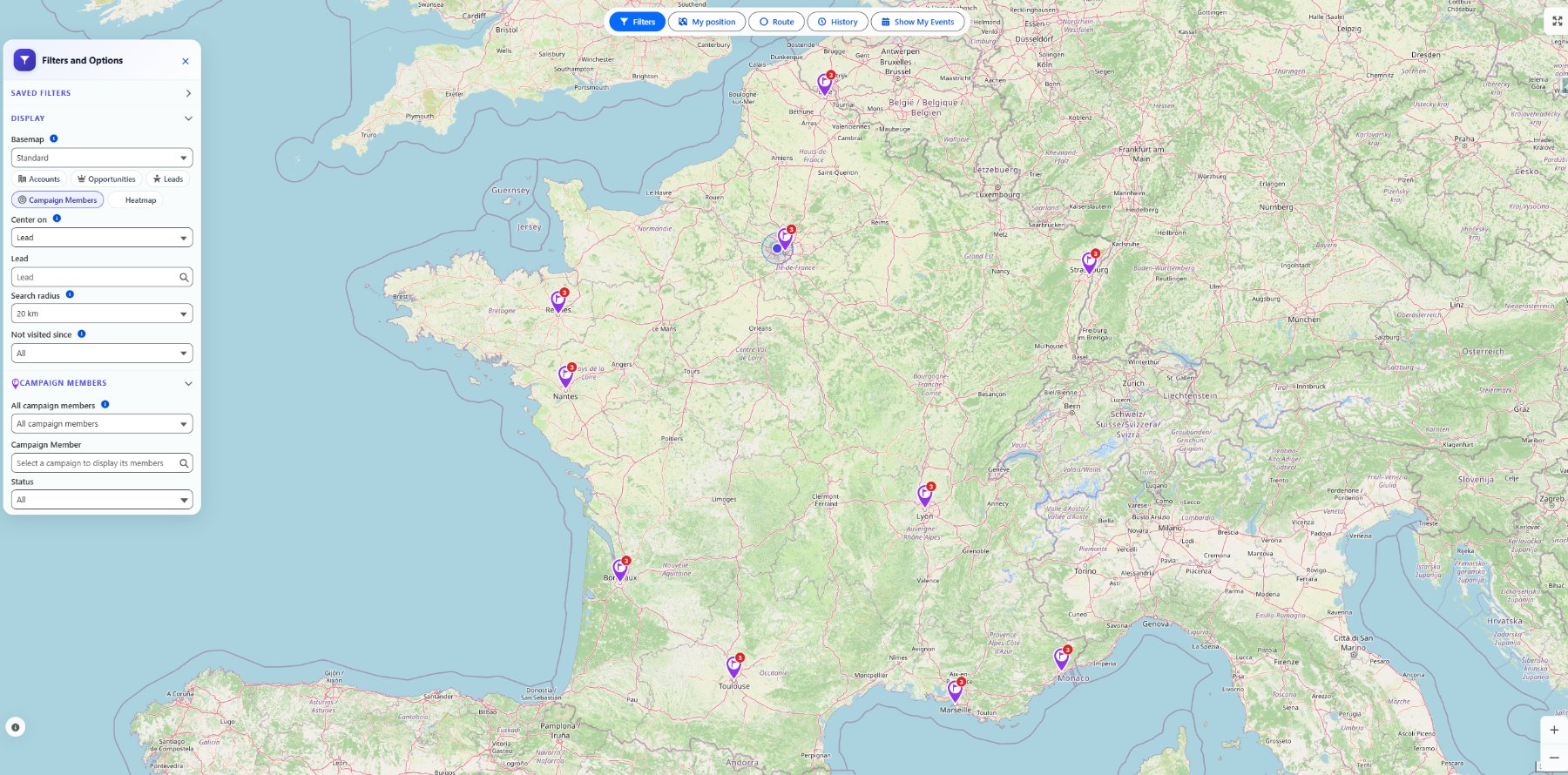
Tourvia can now display Salesforce Campaign Members on the map. The feature supports both member types Salesforce teams use every day: Leads and Contacts.
That means a campaign is no longer only a list or report. It can become a geographic planning layer for sales, marketing, events, partner teams, or local follow-up campaigns.
Two ways to use it
From a Campaign record page, users can view that campaign's members directly in context. This is useful when a manager or rep starts from the campaign itself and wants to understand where members are located.
From the global Tourvia app map, users can select a target campaign through a dedicated picker. That keeps the full map workflow available while adding campaign membership as the active layer.
How members are geolocated
Campaign Members do not carry their own address in Salesforce. Tourvia uses the address on the parent Lead or Contact. If the parent record has valid geolocation data, the member can appear on the map.
This keeps the model native to Salesforce: Campaign membership stays on the Campaign Member, address quality stays on the Lead or Contact, and Tourvia brings both together in the map experience.
Status colors for campaign workflows
Campaign Member status can drive marker color. Admins configure status color rules through Custom Metadata, so the map can match the real campaign process used by the org.
For example, teams can visually separate invited, responded, attended, or follow-up-needed members without exporting the campaign to another tool.
Why this matters
Campaigns often create field work: visits after an event, local outreach, partner follow-up, regional account coverage, or post-campaign qualification. Mapping Campaign Members makes that work easier to plan inside Salesforce.
The important point is continuity. Teams can move from campaign membership to geographic coverage, then into route planning and visit execution without leaving the CRM.
See Campaign Members in the Tourvia workflow
Install Tourvia from AppExchange, then use the user guide and configuration guide to validate the Campaign Member map flow in your org.
Request trial Read the guide